
Filters
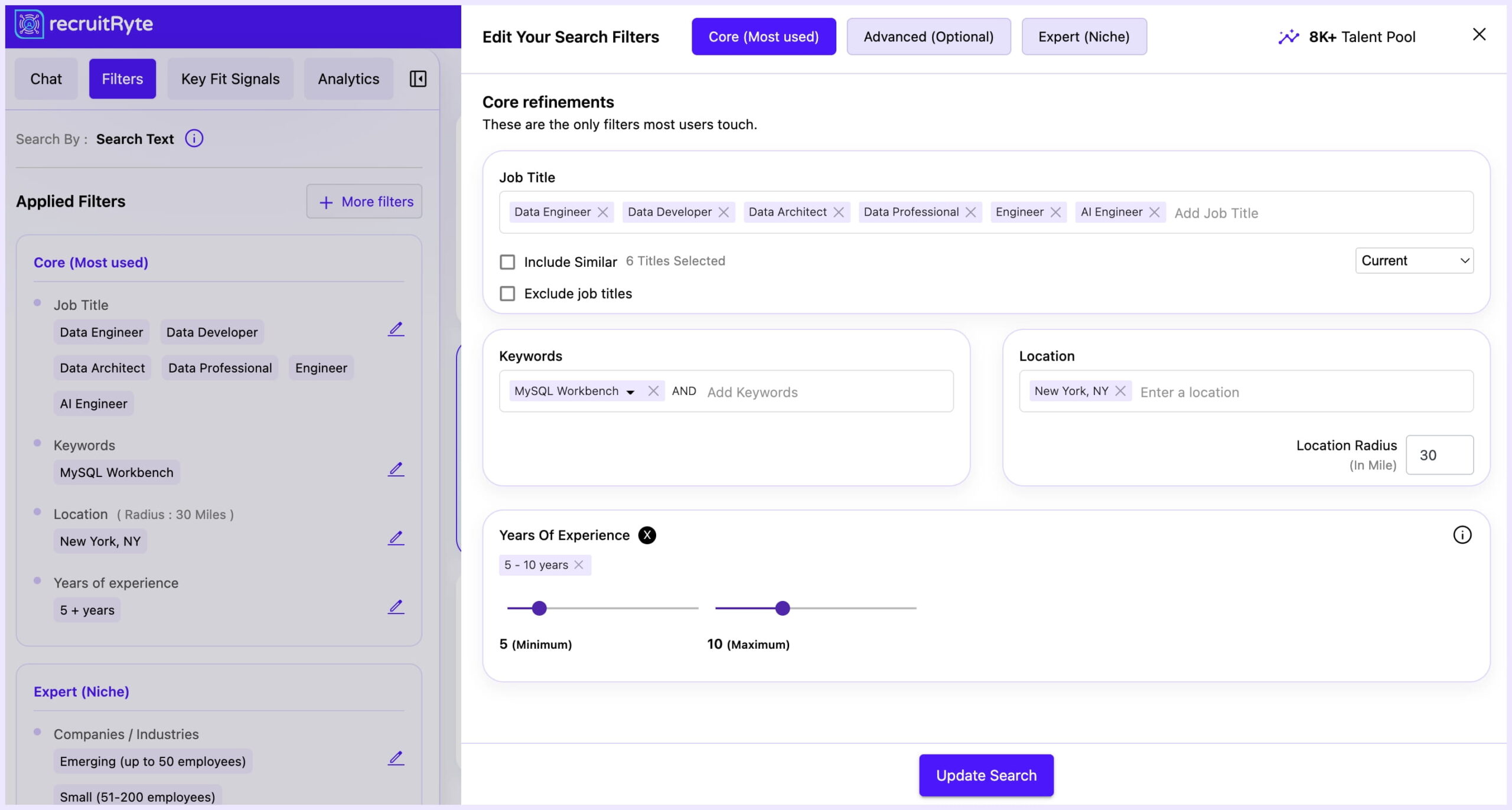
The Filters tab allows you to manually refine your search results with precise criteria. Filters integrate seamlessly with your initial AI Sourcing results or Chat-Based Search refinements and apply instantly when you click Update Search.
How to Use Filters
- Select the Filters Tab: Open the Filters panel within the search results page.
- Apply Your Criteria: Expand each filter section and choose the options that match your requirements.
- Update Search: Click Update Search at the bottom of the page to refresh the candidate list with your selected filters.
| Filter Section | Description | Value Proposition |
|---|---|---|
| Years of Experience | Set the required experience range (e.g., 10–20 years). Select a range or input min/max values. | Target Junior, Mid, or Senior-level candidates quickly. |
| Recent Job Change | Specify the recency of a candidate’s latest career move (e.g., last 6 months, last 2 years). | Identify active vs. passive candidates based on stability or movement. |
| Exclude With No Recent Experience | Toggle to remove profiles with extended gaps or outdated experience. | Focus only on candidates with active and consistent work history. |
| Certifications | Filter by certifications or licenses (e.g., PMP, CFA, CISSP). | Ideal for roles requiring formal qualifications or compliance. |
| Education | Filter by degree level or specific institutions. | Ensure candidates meet minimum academic criteria. |
| Companies / Industries | Include or exclude candidates from specific companies or industries. | Fine-tune searches based on organizational background relevance. |
| Average Tenure | Set minimum/maximum average tenure per role. | Filter for job stability or mobility depending on your needs. |
| Years In The Current Company | Target based on tenure at their current employer. | Identify candidates who may be stable or ready for a change. |
| Language | Filter by language proficiency. | Crucial for multilingual roles or region-specific communication. |
| Diversity | Apply diversity-related filters (use in accordance with local laws and policies). | Supports DE&I hiring initiatives. |
| Open To New Opportunities (Beta) | Shows candidates who indicate they are open to new roles. | Focuses outreach on candidates with strong intent to move. |