
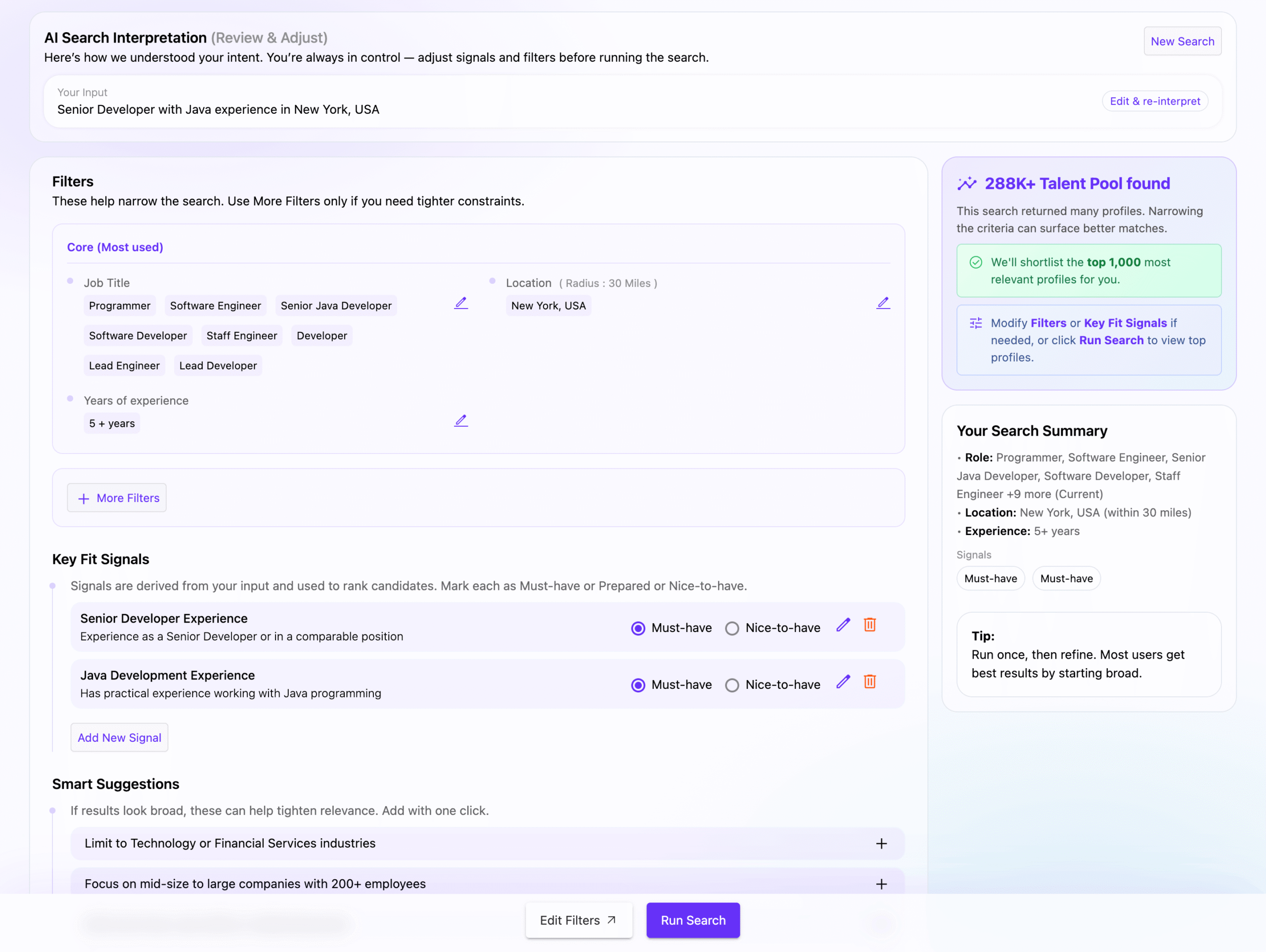
Your Input
This displays the original search query you entered. Click “Edit & re-interpret” to modify your query and have the AI re-analyze it.
Filters
Filters narrow down your search results. The AI extracts key criteria from your query and organizes them into:
- Job Title – Relevant job titles derived from your search, including variations and related roles
- Location – Geographic area with adjustable radius (default: 30 miles)
- Years of Experience – Minimum experience level inferred from seniority indicators
Click the edit icon (pencil) next to any filter to customize it. Use “+ More Filters” to add additional criteria like industry, company size, or skills.
Key Fit Signals
Signals are ranking criteria derived from your search intent. Each signal can be marked as:
- Must-have – Candidates without this signal will be excluded
- Nice-to-have – Candidates with this signal will rank higher but won’t be excluded
You can edit, delete, or add new signals using “Add New Signal”.
Smart Suggestions
If your search criteria are broad, the AI suggests ways to tighten relevance. Click the + button to instantly apply a suggestion.
Talent Pool Indicator
The right sidebar shows the estimated talent pool size matching your current criteria. As you add or remove filters and signals, this number updates to reflect the refined pool.
Tip: We’ll shortlist the top 1,000 most relevant profiles for you, so starting broad is often the best approach.
Your Search Summary
A quick overview of your active search criteria, including:
- Role(s)
- Location and radius
- Experience level
- Active signals
Getting Started
- Enter your search in natural language (e.g., “Senior Developer with Java experience in New York, USA”)
- Review the AI’s interpretation
- Adjust filters and signals as needed
- Click “Run Search” to view matching profiles